

Read offline. Translate. Learn.
re/read is a browser extension for reading web articles and EPUB books: whatever you open in it stays on your device and is there without an internet connection. If you read in a language you are learning, select a word or a phrase to see its translation or hear how it sounds. The words you select are then underlined wherever they come up again - in other articles and books too - until you click Learned in the bubble.
- No account and no server
- No sync - everything stays on your device
- Works offline, with the network switched off
- Open source, AGPL-3.0 licensed
- Firefox and Chromium browsers, on Android too
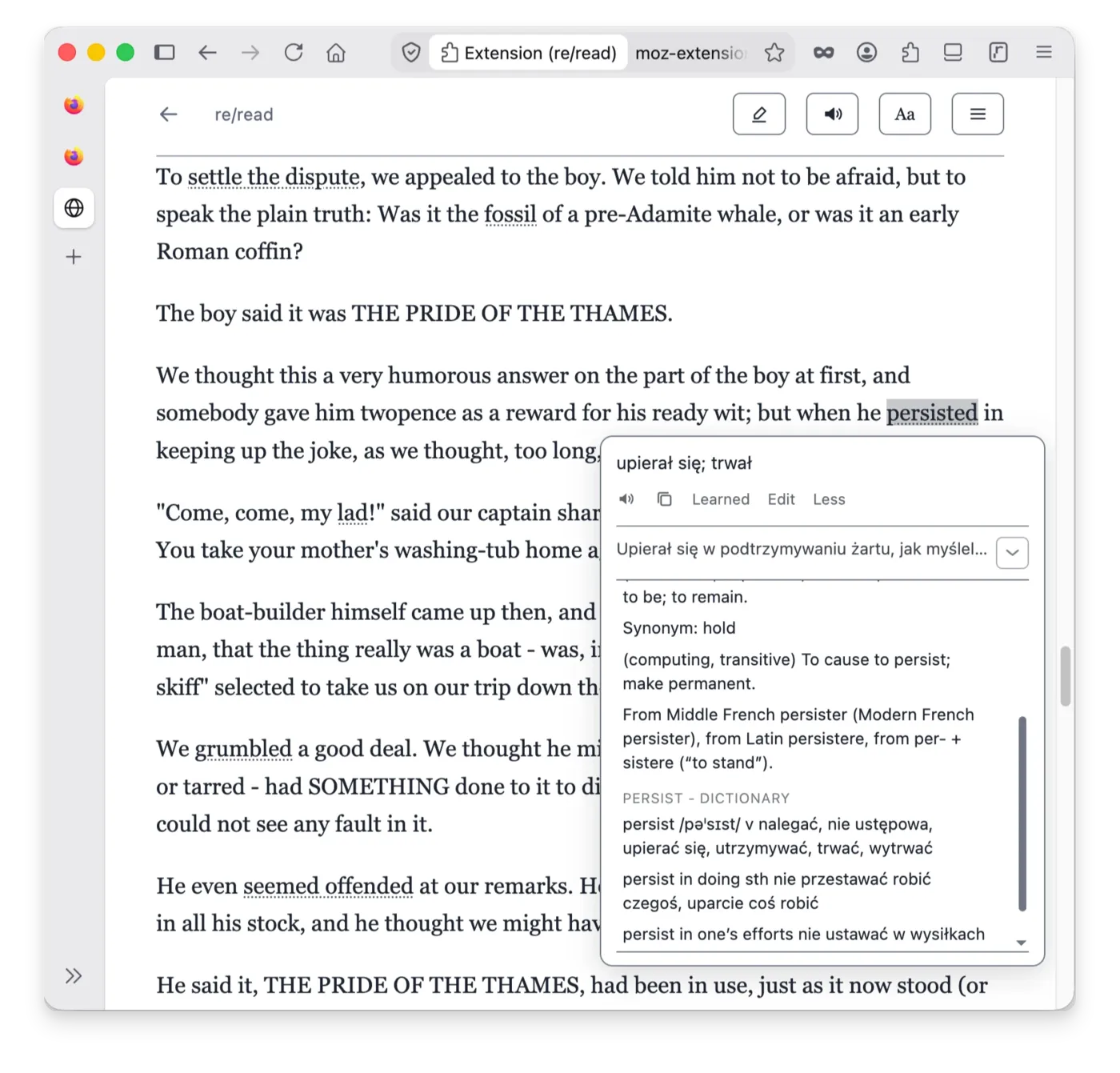


Reading view and offline library
Reading view
Any page opens as a clean article in its own re/read tab - with Alt+Shift+R, from the toolbar popup, or from the bubble on the page.
Offline library
An article opened in the library is saved on your device. You can read it with no network, and also when the original page has changed or gone.
EPUB books
Books can be imported and read in the same offline library as web articles. Long books are split into parts and get a table of contents built from their chapters, like on an ordinary e-reader.
Reading position
An article closed mid-read opens again later - weeks later, if that is when you come back - exactly where you stopped.
Highlighter
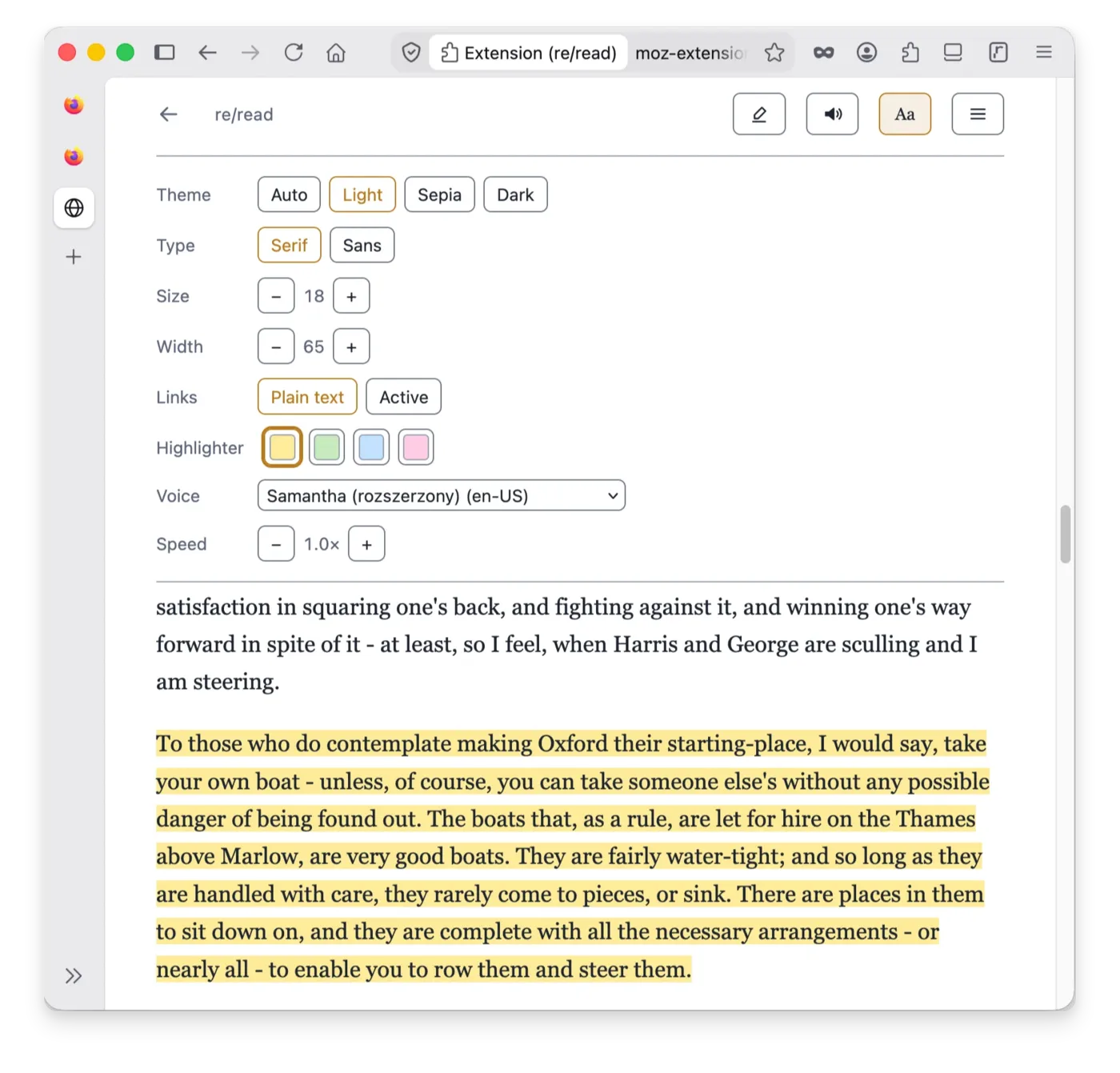
You can highlight passages in several colours and attach your own notes to them. Highlights from one document or from the whole library export to a Markdown file.
Search
Works inside the open document and across the whole library - search by title or by a phrase in the texts.
Read aloud
The spoken word is highlighted as it goes. You can pause and resume, set the speed and choose the voice.
Appearance
Light, sepia and dark themes, serif or sans-serif type, text size and column width. Links can be shown as plain text, so they neither get in the way of selecting nor pull you into hopping from page to page.
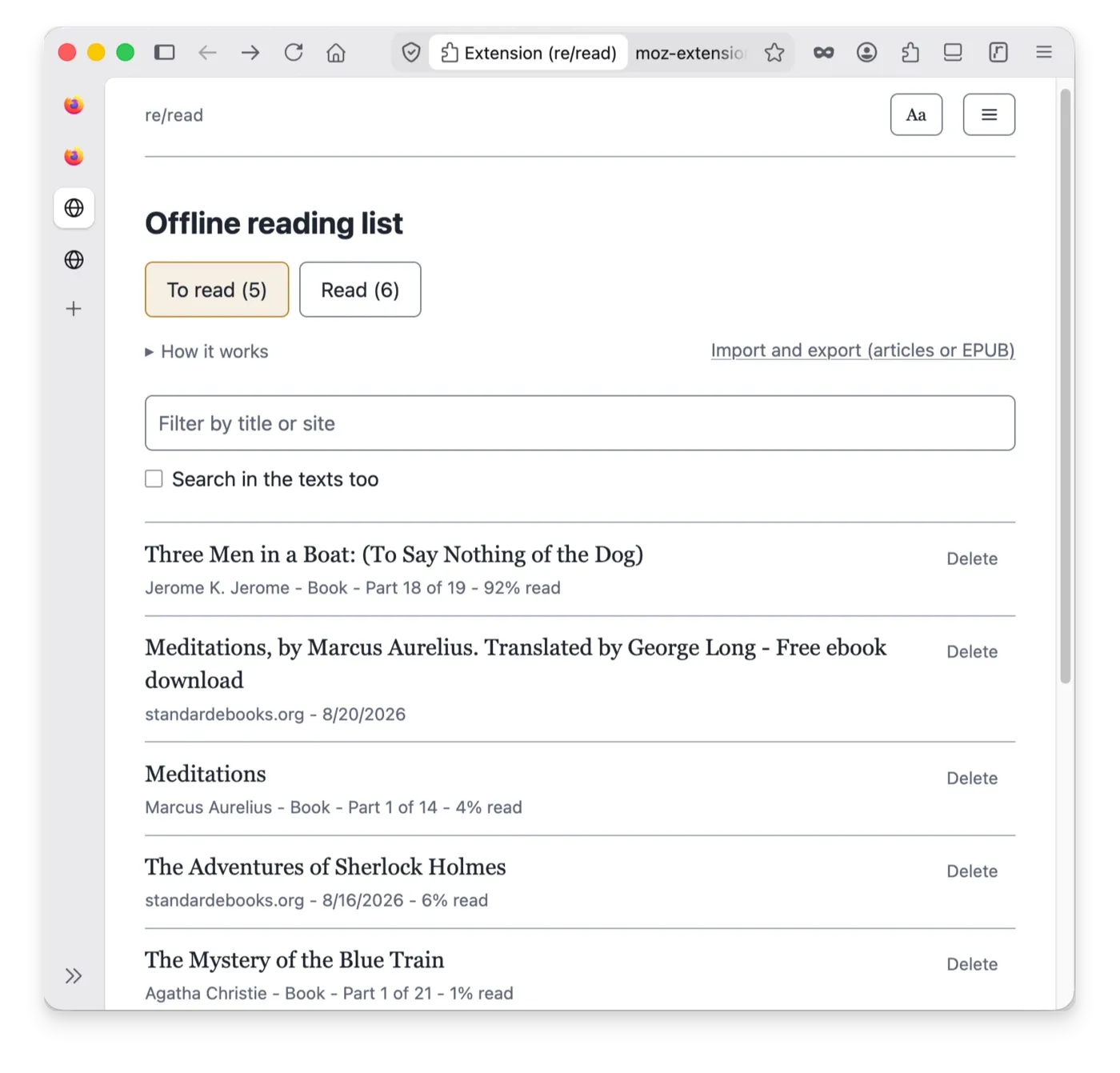
Translation and dictionaries
A bubble over the selection
Select a word or a phrase, on any page or in the reading view, and the translation appears where you are looking.
Translation engine
For offline translation re/read uses Bergamot models - the technology behind Firefox's built-in page translation. Switch the network off and translation keeps working.
About a hundred language pairs
You download the models you want from the settings page - once, and they stay on your device until you delete them. An installed pair shows an update button when Mozilla ships a new version.
Dictionaries next to the engine
A translation model has to pick one meaning; a dictionary shows you all of them, and you choose the ones worth saving. More than four hundred WikDict dictionaries are available and the one you need installs in a click. You can also load your own StarDict file.
Pick the meaning you meant
If the model's translation is wrong or does not fit the context, you can edit it or add meanings by clicking the phrases you want in the dictionary entry.
Hear the phrase
Hear how a selected word or phrase sounds by clicking the speaker icon in the bubble.
Vocabulary
Underlines everywhere
Every saved phrase is underlined on every page it appears on. Clicking an underline shows you your meaning again.
Learned
One click on Learned in the bubble removes the phrase along with its underline.
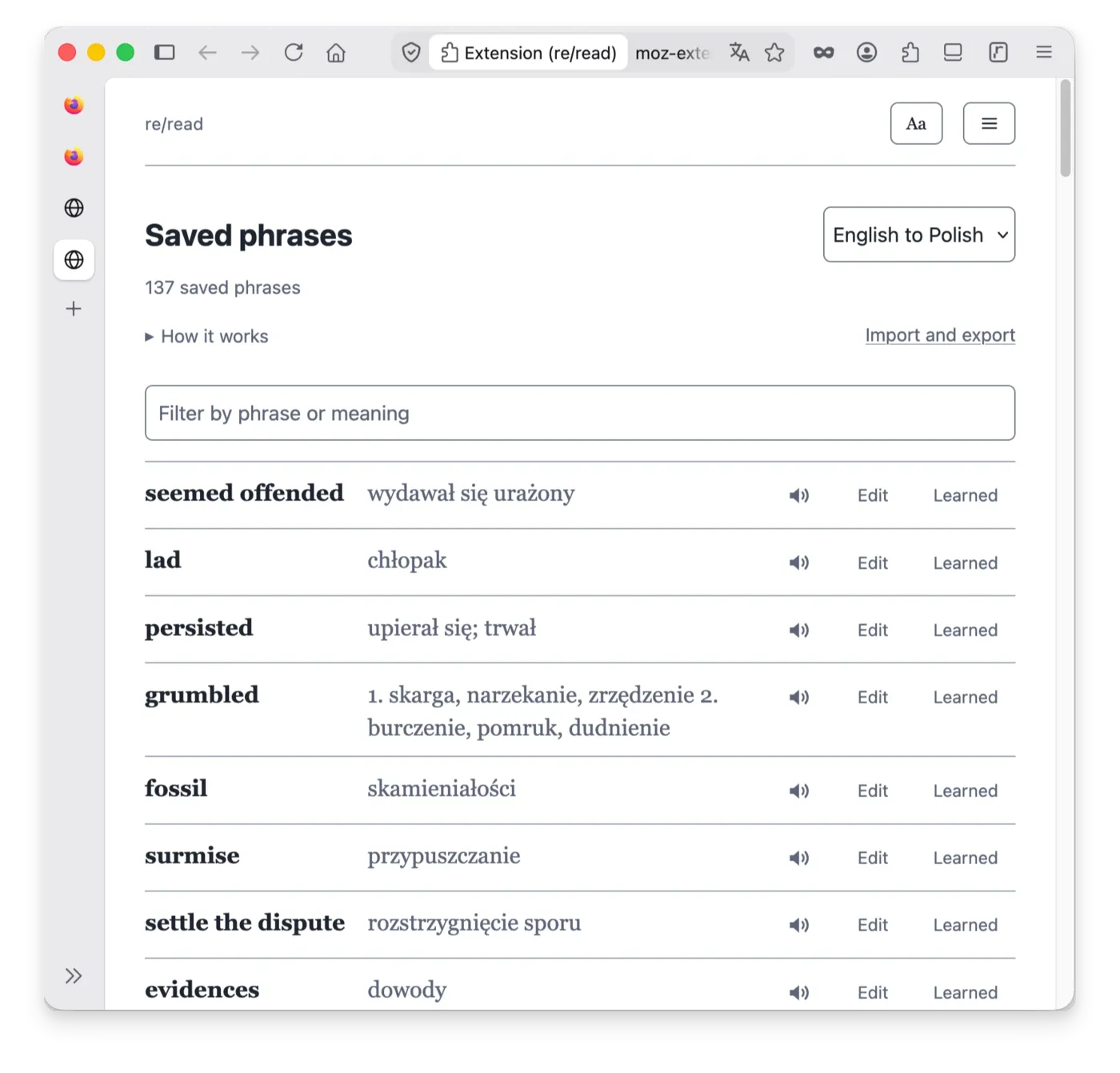
Saved phrases page
Every phrase you have selected, with filtering, paging, editing and a Learned button in each row.
TSV import and export
Move your vocabulary to Anki, to another device, or to and from KOReader on an e-reader, which uses the same format. Importing the same file twice never duplicates a phrase.
re/read exports highlights as a Markdown file with quotes - which is exactly what re/notes imports.
Reading in your own language
Then re/read is simply a reader. One switch in the settings - "Use without translation" - puts the translating half away and leaves the reading view, the offline library, the highlighter, read aloud and search. Dictionaries stay: with a monolingual dictionary installed, selecting a word shows you its definitions. Nothing is deleted and everything comes back the moment the switch goes back.
Privacy
No account, no sync, no server, no telemetry, no analytics, no ads. Your vocabulary, models, dictionaries, saved articles and highlights are stored in the browser's local storage, on your device.
The extension connects to the internet only when you download a Mozilla translation model or a WikDict dictionary. Once you have them, you can use re/read entirely offline. The text you read, the words you select and the vocabulary you translate and save never leave your device.
re/read is not connected to your re/notes or re/task account. It has no accounts at all. Nothing it stores is synced anywhere, and uninstalling the extension deletes everything - the browser removes the extension's storage along with it.
You do not have to take our word for it: open the network panel in the developer tools, read the code (the extension is open source under AGPL-3.0 and the package ships unminified, exactly as it is in the repository), or simply switch the network off - translation, dictionaries and the library keep working.
Questions
Support
Reborn Apps is a project run by Reborn Foundation — a Polish non-profit organization. We provide re/task and re/notes for free, with full end-to-end encryption, no ads, and no data collection. Their maintenance and development are funded from the foundation's own resources and thanks to the support of donors.
If you use our apps and want to support their further development — every donation helps us build software free from commercial pressure.
Donate from abroad
For donors outside Poland, we provide a Wise link — pay by SEPA transfer (free in the eurozone), card, or from a Wise account. You can donate in EUR, USD, GBP — Wise converts at the mid-market rate.
→ Donate via WiseDonate from Poland
Transfer directly to the foundation's bank account. Donations for the foundation's statutory purposes may be tax-deductible — check the details and current rules with your tax office or accountant.
09 1600 1462 1816 4732 5000 0001 Fundacja Reborn Darowizna na cele statutowe